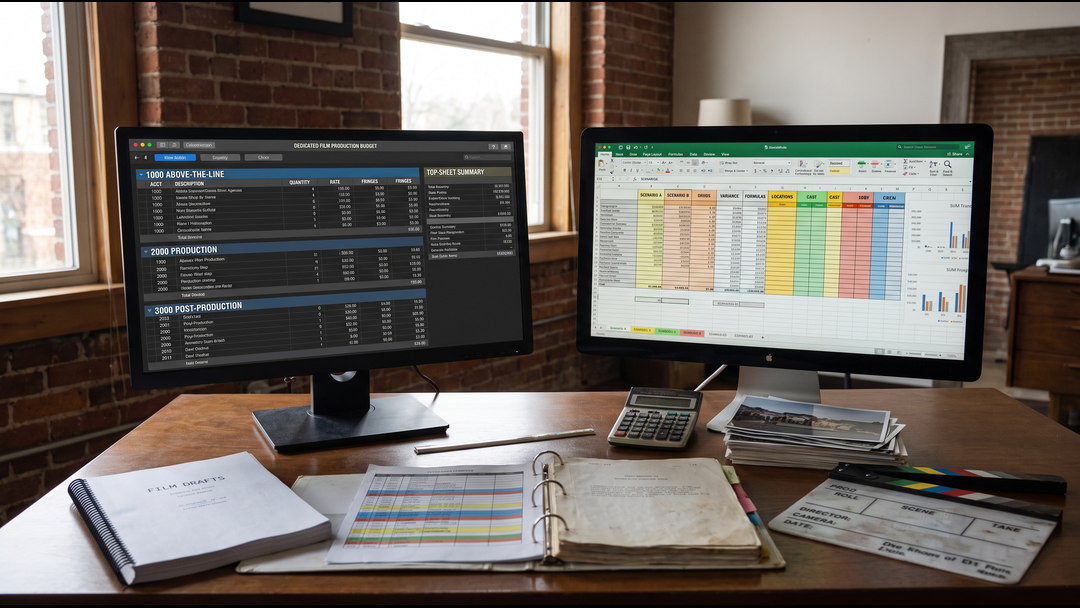
If you ask five producers what they use to build a film budget, you can get five different answers. One will say Movie Magic Budgeting because that is what the production office expects. Another will say Excel because it is flexible, transparent, and already open on every finance desk. A third will quietly use both.
The software matters, but not for the reason people usually argue about. A professional budget is not professional because of the logo in the top corner. It is professional because the assumptions are realistic, the formulas hold together, the accounts are organized, the fringes are handled correctly, and another producer can audit how the total was built.
That said, Movie Magic Budgeting and Excel are designed for different kinds of work. The right choice depends on the stage of the project, the people reviewing the numbers, and whether the budget needs to remain a production document or become part of a larger financing model.
What Film Budgeting Software Actually Needs to Do
A film budget is more than a list of departments and totals. It has to survive revisions. Cast changes. The schedule moves. A location drops out. The director adds a night exterior. A union assumption changes. A camera package comes back higher than expected. A tax incentive requires a different local spend assumption.
Good film budgeting software should let a producer change those assumptions without rebuilding the whole document from scratch. It should also make it obvious where a number came from and how it affects the top sheet.
At minimum, a serious budgeting workflow needs to handle:
- Account and category structure
- Quantities, rates, units, and work periods
- Payroll fringes and other percentage-based costs
- Global assumptions that affect multiple lines
- Groups, locations, or other ways to isolate cost scenarios
- Revisions and version control
- Top-sheet and detail reporting
- Scenario comparison
- Clear assumptions for the producer, financier, and production team
If those foundations are weak, changing software will not rescue the budget. If the foundations are strong, both Movie Magic and Excel can be useful, but they shine in different places.
Where Movie Magic Budgeting Is Strongest
Movie Magic Budgeting is purpose-built for entertainment production. Entertainment Partners currently positions it as its production budgeting and cost-estimating platform, with configurable fringes, globals, locations, cloud-synced libraries, custom reports, and budget-comparison tools. That production-first design is the main reason it remains familiar to line producers, production accountants, UPMs, and finance teams.
You can review the current product directly on Entertainment Partners' Movie Magic Budgeting page.
It speaks the language of a production budget
Movie Magic is built around the structure producers already expect to see: categories, accounts, detail lines, fringes, globals, groups, locations, and reports. That reduces the amount of custom engineering required before you can start budgeting the actual movie.
It handles repeatable assumptions cleanly
Globals are useful when one assumption appears across the budget. Fringes can be applied to the lines that need them. Groups and locations can help isolate parts of the spend. The value is not that these ideas are impossible in Excel. They are not. The value is that Movie Magic gives them a production-specific workflow rather than asking you to design the system yourself.
It is easier to hand off inside a conventional production workflow
If a line producer builds the budget and a production accountant will later review, revise, or reconcile it, a familiar Movie Magic file can reduce translation. The account structure and reporting conventions are already recognizable to many production teams.
It supports side-by-side budget thinking
Location choices, production versions, episodic comparisons, and revised cost assumptions often need to be compared quickly. Current Movie Magic Budgeting tools support budget comparison, which is useful when the question is not simply "what does the film cost?" but "what changed between these two production plans?"
Where Excel Is Strongest
Excel is not film budgeting software in the narrow sense. That is exactly why it can be so powerful.
A spreadsheet can become whatever the project needs. It can be a rough development budget, a detailed cost model, a production cash flow, an investor waterfall, a debt schedule, a sensitivity table, or a dashboard that combines several scenarios in one place.
Excel is excellent for custom financial logic
Suppose a producer is comparing three financing plans. Version one is straight equity. Version two combines equity with a tax-credit bridge. Version three adds senior debt and a preferred-return structure. The production budget may be identical in all three cases, but the financing behavior is not.
That is where Excel becomes the more natural tool. You can model capital sources, timing, recoupment, ROI, IRR, payback, and scenario switches without forcing those calculations into a production-budget structure.
Excel is useful when the audience needs a custom view
A production accountant may want account detail. An investor may want downside, base, and upside returns. A lender may want cash needs by period. A producer may want to compare a 22-day schedule against a 26-day schedule. Excel can present each view in a way that is designed around the decision rather than around one standard report.
Excel is fast for early development
Before a schedule is locked, producers often need quick range testing. What happens if the cast assumption drops by $150,000? What if the shoot moves from New York to Georgia? What if one unit becomes two? A disciplined workbook can answer those questions quickly before the project needs a full production-ready budget.
Movie Magic Budgeting vs Excel: Producer Comparison
| Decision area | Movie Magic Budgeting | Excel |
|---|---|---|
| Detailed production budget | Purpose-built and highly structured | Strong if the workbook is engineered well |
| Fringes and global assumptions | Native production workflow | Requires custom formulas and controls |
| Production-team familiarity | Strong among professional production teams | Universal software, but workbook formats vary |
| Custom scenario modeling | Useful for production comparisons | Excellent for highly customized logic |
| Cash flow modeling | Not the main job of the production budget | Excellent |
| Investor returns and waterfalls | Not its core purpose | Excellent |
| Standard production reports | Strong | Depends on workbook design |
| Development-stage flexibility | Good | Excellent |
| Production accounting handoff | Usually cleaner when the team already uses it | Depends on the receiving team and file structure |
Which Is Better During Development?
During development, Excel often has an advantage because the producer is still asking broad questions. The exact crew size may not be known. Cast offers may not exist. The location strategy may still be changing. Financing targets may be moving at the same time as the creative plan.
At that stage, the goal is often not to produce the final account-level budget. The goal is to understand the range. A producer may need a $3 million version, a $4.5 million version, and a $6 million version before deciding which path is financeable.
Excel can be efficient for those early scenarios. But once the screenplay has been broken down and a real shooting schedule exists, the budget needs more discipline. That is where a purpose-built production budgeting workflow becomes more valuable.
For the underlying methodology, see our film production budgeting guide, which explains how script, schedule, crew, locations, equipment, post, fringes, and contingency feed into the cost plan.
Which Is Better in Pre-Production?
Pre-production is where vague assumptions turn into commitments. Department heads are hired. Quotes arrive. Locations are negotiated. Equipment packages get priced. Cast workdays matter. Prep and wrap periods become real. At this point, a budget has to be traceable enough that the production team can keep revising it without losing control.
For a conventional feature or series budget, Movie Magic is usually the stronger center of gravity. The producer can still use Excel for side analysis, but the production cost plan benefits from a structure designed for account-level revisions and reports.
This distinction is visible in our action-drama feature budget and schedule case study, where a screenplay was translated into a 38-day shooting schedule, detailed Movie Magic budget, and business-plan package. The point was not the software alone. The value came from connecting the schedule and the cost assumptions so the budget reflected an executable production plan.
Which Is Better for Investors and Film Finance?
This is where the answer changes quickly.
An investor usually needs more than a production budget. They may need to understand how much capital is being raised, when it is needed, how revenue is projected, what deductions occur before recoupment, who gets paid first, and what the return profile looks like under different performance scenarios.
Those questions belong in a financial model, not inside the production budget itself.
Excel is usually the better environment for that layer because it can connect the approved cost base to financing sources, revenue assumptions, distribution deductions, investor waterfalls, ROI, IRR, payback, and sensitivity analysis.
If the project is moving into that stage, FilmDrafts keeps the production-budget work separate from the investor model so each document can do its job cleanly. Our Film Financial Model and Recoupment Waterfall service is designed for that next layer.
The Strongest Workflow Is Often Movie Magic Plus Excel
For many serious productions, this is not an either-or decision.
| Workflow stage | Best working document | What it should answer |
|---|---|---|
| Development scenarios | Excel | What budget range is realistic and financeable? |
| Production cost plan | Movie Magic Budgeting | What does the planned production actually cost by account? |
| Production cash flow | Excel | When does the production need cash? |
| Investor financial model | Excel | How do capital, revenue, recoupment, and returns behave? |
| Production reporting and revisions | Movie Magic Budgeting | What changed and how does the revised cost plan read? |
The advantage is separation of purpose. The Movie Magic budget can remain the production cost authority. Excel can handle the custom calculations that sit around it. The critical control is reconciliation: both should use the same approved assumptions where they overlap.
What Makes a Professional Film Budget, Regardless of Software?
Software can organize the numbers. It cannot decide whether the numbers are credible.
A professional budget still depends on production judgment:
- Did the script breakdown capture the real production elements?
- Does the shooting schedule create the correct number of cast, crew, equipment, and location days?
- Are prep and wrap periods realistic for each department?
- Are overtime, travel, turnaround, payroll, and fringes handled correctly?
- Are quotes, allowances, and assumptions clearly distinguished?
- Does contingency reflect actual uncertainty rather than becoming a plug?
- Can the top sheet be traced back to the account detail?
A weak assumption entered into Movie Magic is still weak. A broken Excel formula is still broken. The production logic comes first.
Common Mistakes Producers Make When Choosing Budgeting Software
Choosing based on appearance
A polished interface does not make a budget financeable. Start with the deliverable and the audience. What does the next person need to review, change, or approve?
Building a custom Excel workbook nobody else can audit
Excel is flexible enough to hide bad structure. Hard-coded totals, undocumented overrides, inconsistent formulas, and hidden assumptions can create a workbook that only one person understands. If Excel is the tool, build it so another producer can follow the logic.
Using Movie Magic as a substitute for production knowledge
Knowing how to apply a fringe or create a global does not tell you how many prep weeks the art department needs, how a company move affects the day, or how a location strategy changes transportation and overtime. Software knowledge and production budgeting judgment are different skills.
Trying to make one file solve every finance problem
The production budget, cash flow, business plan, investor model, and recoupment waterfall are connected, but they are not the same document. Forcing everything into one file usually makes the whole package harder to explain and harder to audit.
How Producers Should Choose
Use the receiving audience as the first filter.
- Line producer, UPM, production accountant, or studio production team: Movie Magic Budgeting is usually the safer default for the core production budget.
- Producer testing development scenarios: Excel can be faster and more flexible.
- Investor, lender, fund, or finance partner: use a separate Excel financial model built from the approved production cost base.
- Project needs both production control and investor analysis: use both, with clear reconciliation between them.
FilmDrafts Budgeting Workflow
FilmDrafts builds professional budgets from the production plan rather than from a generic percentage template. Depending on the assignment, the deliverable can be built in Movie Magic Budgeting or structured Excel, with the screenplay breakdown and shooting schedule driving the cost assumptions.
For projects that need a production-ready budget, see our Film Budget service. We can scope the deliverables around your screenplay, production location and the files your team needs to review.
If you are deciding whether a downloadable spreadsheet is enough, our guide to film budget templates vs professional film budgets explains where templates help and where project-specific budgeting becomes necessary.
Related FilmDrafts Guides
Frequently Asked Questions
What is the best film budgeting software for producers?
For conventional production budgeting, Movie Magic Budgeting is a strong choice because it is purpose-built around production accounts, fringes, globals, groups, locations, reports, and budget revisions. Excel is stronger when the producer needs custom financial logic, investor modeling, cash flow, or scenario dashboards.
Can you build a professional film budget in Excel?
Yes. Excel can support a professional film budget if the workbook has disciplined account structure, reliable formulas, documented assumptions, proper fringe logic, version control, and reports another producer can audit. The weakness is not Excel itself. The weakness is an uncontrolled workbook.
Is Movie Magic Budgeting better than Excel?
It is better for some jobs, not every job. Movie Magic is usually better for the core production budget and production-team workflow. Excel is usually better for custom scenarios, cash flow, financing structures, investor returns, and models that extend beyond production cost accounting.
Do independent film producers need Movie Magic Budgeting?
Not always. A small early-stage project can be modeled effectively in Excel. Movie Magic becomes more valuable when the budget is detailed, the production team expects a conventional budgeting file, or the project is entering serious pre-production and needs repeated account-level revisions.
Should the investor financial model be built inside the production budget?
Usually no. Keep the production cost plan separate from the investor model. The two should reconcile to the same approved budget, but the investor model needs different logic for financing sources, revenue, recoupment, ROI, IRR, and payback.
Need a Film Budget Built for the Way Your Project Will Actually Be Used?
FilmDrafts builds screenplay-based production budgets in Movie Magic Budgeting or structured Excel, supported by breakdowns, schedules, cash flow, and financial modeling when the project needs more than a cost estimate.
Discuss Your Project →