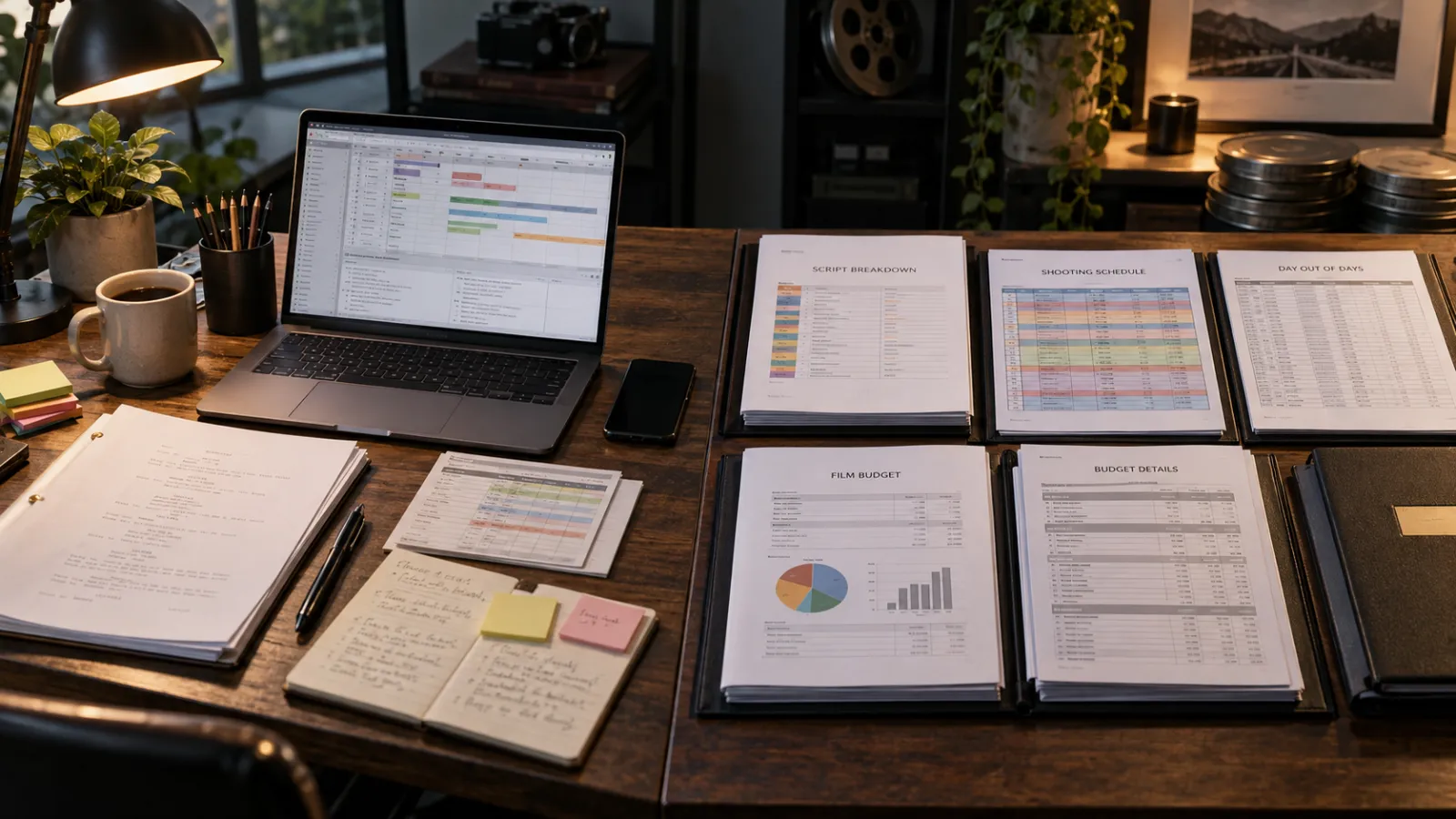
Movie Magic Scheduling and Filmustage solve overlapping but different pre-production problems. Movie Magic Scheduling is a dedicated production-scheduling system built around breakdown sheets, boards, calendars, reports and detailed schedule control. Filmustage connects script breakdown, scheduling, DOODs, budgeting and other pre-production tasks in one workspace, with AI-assisted tools available through its paid plan.
If you have the time to build and review your own breakdown, shooting schedule and preliminary budget, Filmustage can be a practical way to keep those steps connected. If you already work in a traditional scheduling environment and need deep control over a professional production board, Movie Magic Scheduling has a more specialized scheduling focus. And if you do not have the time to build the production plan yourself, a done-for-you FilmDrafts breakdown, schedule and film budget service may be the more efficient route.
Want to build the plan yourself?
Filmustage offers a free tier for core non-AI tools and a paid Director's Cut plan for full AI-powered breakdown, budgeting, scheduling assistance and other AI features. You can start with your own screenplay and decide how much of the workflow you want to handle yourself.
Try Filmustage →Best suited to filmmakers who have time to review assumptions, refine the schedule and check the budget rather than treating software output as a final production decision.
Movie Magic Scheduling vs Filmustage: The Main Difference
The cleanest way to compare the two is not to ask which product is “better.” Ask what part of pre-production you are trying to control.
Entertainment Partners describes Movie Magic Scheduling as dedicated film and television scheduling software with boards, multi-episode and multi-unit scheduling, conflict detection, calendar tools, reports and collaboration features. Filmustage describes itself as an end-to-end pre-production platform that connects breakdown, scheduling, budgeting, call sheets, reports and AI-assisted workflows.
| Decision area | Filmustage | Movie Magic Scheduling |
|---|---|---|
| Primary workflow | Connected pre-production workspace covering breakdown, scheduling, budgeting, reports and additional production tools. | Dedicated professional scheduling environment centered on breakdown sheets, boards, calendars, conflicts and schedule reports. |
| Script breakdown | Manual breakdown is available, with AI-assisted full breakdown on the paid plan. | Breakdown sheets and production elements feed the scheduling board; emphasis is on detailed schedule construction and management. |
| Shooting schedule | Stripboard, calendar, DOOD and sides share schedule data; AI-assisted scheduling tools are also available. | Deep board control, sub-boards, multi-unit and multi-episode scheduling, conflict detection and calendar management. |
| Budgeting | Budget creation, templates and AI budget estimates are available in the same platform. | Movie Magic Scheduling itself is a scheduling product; detailed budgeting is handled separately in Movie Magic Budgeting or another budgeting workflow. |
| Automation | AI can assist with breakdown, budgeting, analysis, synopsis and scheduling-related actions. | Focused on professional scheduling controls, collaboration and production-board management rather than an AI-first workflow. |
| Best fit | Filmmakers who want breakdown, schedule and budget tasks connected in one environment and are comfortable reviewing AI-assisted outputs. | ADs, UPMs, production teams and schedulers who want a specialized scheduling system with detailed board control. |
The distinction matters because Movie Magic Scheduling is not the same product as Movie Magic Budgeting. When a production team says it works in “Movie Magic,” it may be using both products, but scheduling and budgeting remain separate professional workflows.
What Is Filmustage and What Is It Used For?
Filmustage is pre-production software designed to turn screenplay information into production data. Its current workflow includes script breakdown, scheduling, DOOD reports, budgeting, call sheets, sides, storyboards, VFX tools and collaboration. According to the Filmustage feature summary, the platform is intended to carry a project from script analysis into practical planning rather than operate as a single-purpose tool.
For an independent producer, that can reduce the number of separate systems used during early planning. A screenplay can be broken down, converted into a schedule, reviewed through DOOD reports and then used as input for a budget in the same project environment.

Filmustage Script Breakdown: Where the Workflow Starts
A script breakdown converts screenplay pages into production elements: cast, background actors, props, wardrobe, locations, vehicles, stunts, special effects, visual effects, set dressing and other requirements that departments need to plan and price.
Filmustage supports both manual and AI-assisted breakdown. Its help documentation states that users can upload PDF or Final Draft files and either perform the breakdown manually or allow the system to generate an AI-assisted breakdown. That speed can be useful, especially on a long screenplay, but the result still needs human review.
Why? A screenplay can imply requirements that are not obvious from a simple tag. A “quiet dinner scene” may still involve food continuity, hero props, background, night exterior control, picture vehicles, child-labor restrictions or a company move. The software can organize information, but the production team still decides what the information means operationally.
For a deeper look at how breakdown choices affect money and time, read How Script Breakdown Affects Schedule and Budget.
From Script Breakdown to a Shooting Schedule
A shooting schedule is not simply the screenplay in scene order. Production scheduling groups scenes according to the constraints that make the shoot practical: cast availability, locations, day/night requirements, company moves, set construction, stunts, effects, equipment, travel and the number of pages or setups a unit can realistically complete.
Filmustage's current Scheduling tab includes four connected views: Stripboard, Calendar, DOOD and Sides. Its stripboard is where scenes are arranged into shoot days, while the calendar maps those days to real dates and helps surface conflicts. DOODs track when cast or other tagged elements are required. Movie Magic Scheduling provides the same broad scheduling logic through a more specialized production-board environment with sub-boards, multi-unit controls, conflict detection and detailed calendar management.
Where Filmustage Budgeting Becomes Useful
Once the breakdown and schedule are reasonably stable, budgeting becomes more meaningful. Filmustage's Budgeting tab can create a two-level or three-level budget structure, use templates, apply currencies, manage fringes and deductions, import a Movie Magic Budgeting file and export the completed budget.
The paid AI Budget feature goes further by estimating base budget figures from breakdown and scheduling data. Filmustage says its estimates currently draw mostly on U.S. production information such as guild and union rates and partner rental costs. Its help center also makes an important limitation clear: AI Budget generation does not automatically generate fringes and deductions, so those have to be added and checked separately.
That is the right way to think about any film budget software: it can structure calculations and accelerate an estimate, but production assumptions still determine whether the numbers are usable. Crew rates, prep and wrap, overtime, payroll burdens, insurance, locations, travel, equipment, post-production and contingency all depend on the actual project.

If budgeting is the part you want to understand in more depth, see How to Make a Detailed Film Budget and Movie Magic Budgeting vs Excel.
Filmustage Free vs Director's Cut
As of September 17, 2026, Filmustage lists a Free plan at $0 and a paid Director's Cut plan starting at $55 per month when billed at the displayed annual rate. Pricing can change, so always check the current Filmustage pricing page before subscribing.
| Plan | What it currently includes | Who it suits |
|---|---|---|
| Free | Core non-AI tools including manual script breakdown, budget creation and templates, call sheets, scheduling with DOODs, collaboration and exports, plus a limited AI breakdown trial. | Users who want to learn the workflow manually, test the interface or manage a smaller project without relying on full AI processing. |
| Director's Cut | Everything in Free plus full AI breakdown, AI budgeting, synopsis and analysis tools, AI-assisted scheduling actions, unlimited active projects, additional export access and a recurring Dude Coin allowance. | Users who expect to run AI operations repeatedly and want the integrated workflow to save setup and processing time. |
The subscription uses Dude Coins for AI operations. The current pricing page lists 1,700 coins per billing cycle on the entry Director's Cut tier, with unused coins rolling over while the subscription remains active. The benefit is not simply “more features”; it is the ability to use AI repeatedly across breakdown, budgeting, synopsis, analysis and other supported workflows without rebuilding the project in separate tools.
Try Filmustage with your own screenplay
If you prefer to build and revise your own production plan, start with the Filmustage workflow and review every breakdown, schedule and budget assumption before treating it as final.
Get Started with Filmustage →FilmDrafts may earn a commission if you subscribe through this link. Pricing, features and promotional terms are controlled by Filmustage and may change.
Filmustage Pros for Independent Filmmakers
1. Breakdown, schedule and budget stay connected
The biggest practical advantage is continuity. Instead of treating breakdown, scheduling and budgeting as unrelated files, Filmustage can carry project data from one stage into the next. That is particularly useful when the screenplay changes and the producer has to revisit multiple assumptions.
2. The free tier is useful for learning the workflow
The current Free plan includes manual breakdown, scheduling, DOODs, budget creation, call sheets and several other non-AI tools. A filmmaker can therefore learn the logic of pre-production before deciding whether the paid AI features are worth the cost.
3. Paid AI tools can reduce repetitive setup
Full AI breakdown, AI Budget, synopsis, analysis and AI-assisted scheduling actions can reduce repetitive processing. For a producer handling several drafts or projects, the time saving can be more valuable than any single feature.
4. It supports an iterative pre-production process
Real pre-production changes constantly. A cast conflict can move scenes. A location loss can change the stripboard. A schedule change can alter rentals, labor and lodging. Keeping these tasks in a connected environment makes revision easier to manage.
5. It gives smaller teams access to production-planning structure
A first-time producer may not begin with a full production office. A structured platform can at least impose the right sequence: understand the script, identify elements, schedule the work, review DOODs, then estimate costs.
Filmustage Cons and Limitations
AI output still needs production judgment
Automated breakdown and budgeting should be reviewed, not accepted blindly. The tool does not know every creative intention, local labor condition, vendor quote, permit restriction, insurance requirement or production risk unless that information is represented in the project data.
Budget estimates are not the same as a locked production budget
Filmustage itself describes Budget Hints as explanations of estimates rather than final production costs. The current AI budgeting dataset is also weighted toward U.S. production data. International projects, unusual deals and custom labor assumptions need additional research and adjustment.
The paid workflow uses a coin system
Director's Cut AI operations consume Dude Coins. That gives users control over how much AI they run, but frequent users still need to understand the subscription and coin model rather than assuming every AI action is unlimited.
Complex schedules still require someone to make trade-offs
Software can flag conflicts and rearrange data. It cannot independently decide whether a company move is creatively justified, whether a stunt day should be separated from dialogue work, or whether a six-page night exterior is realistic for the crew, location and equipment package.
When Movie Magic Scheduling May Make More Sense
Movie Magic Scheduling is a strong fit when the schedule itself is the center of the workflow. The current MMS 10 product includes side-by-side views, drag-and-drop boards, multi-episode management, multi-unit sub-boards, enhanced conflict detection, detailed calendar controls and multi-user collaboration.
That can matter on features, episodic work and multi-unit productions where schedule control is a specialized job rather than one part of a broader solo-producer workflow. Teams already using Movie Magic conventions may also prefer to stay inside a familiar scheduling ecosystem.
For readers coming from the legacy version, Entertainment Partners states that support and updates for Movie Magic Scheduling 6 ended in 2025 and recommends moving to MMS 10.
When Filmustage May Make More Sense
Filmustage is easier to justify when your priority is an integrated film pre-production software workflow rather than scheduling alone. It is especially relevant if:
- you want to upload a screenplay and begin with breakdown rather than build a schedule from scratch;
- you want breakdown, stripboard, DOODs and budgeting connected in one project;
- you are an independent producer doing much of the pre-production yourself;
- you expect to revise the screenplay or schedule repeatedly;
- you want AI assistance but are prepared to validate the output;
- you want to test core manual tools before committing to a paid plan.
When Hiring FilmDrafts Makes More Sense
Software makes sense when you want to operate the workflow yourself. A service makes sense when you want the deliverable.
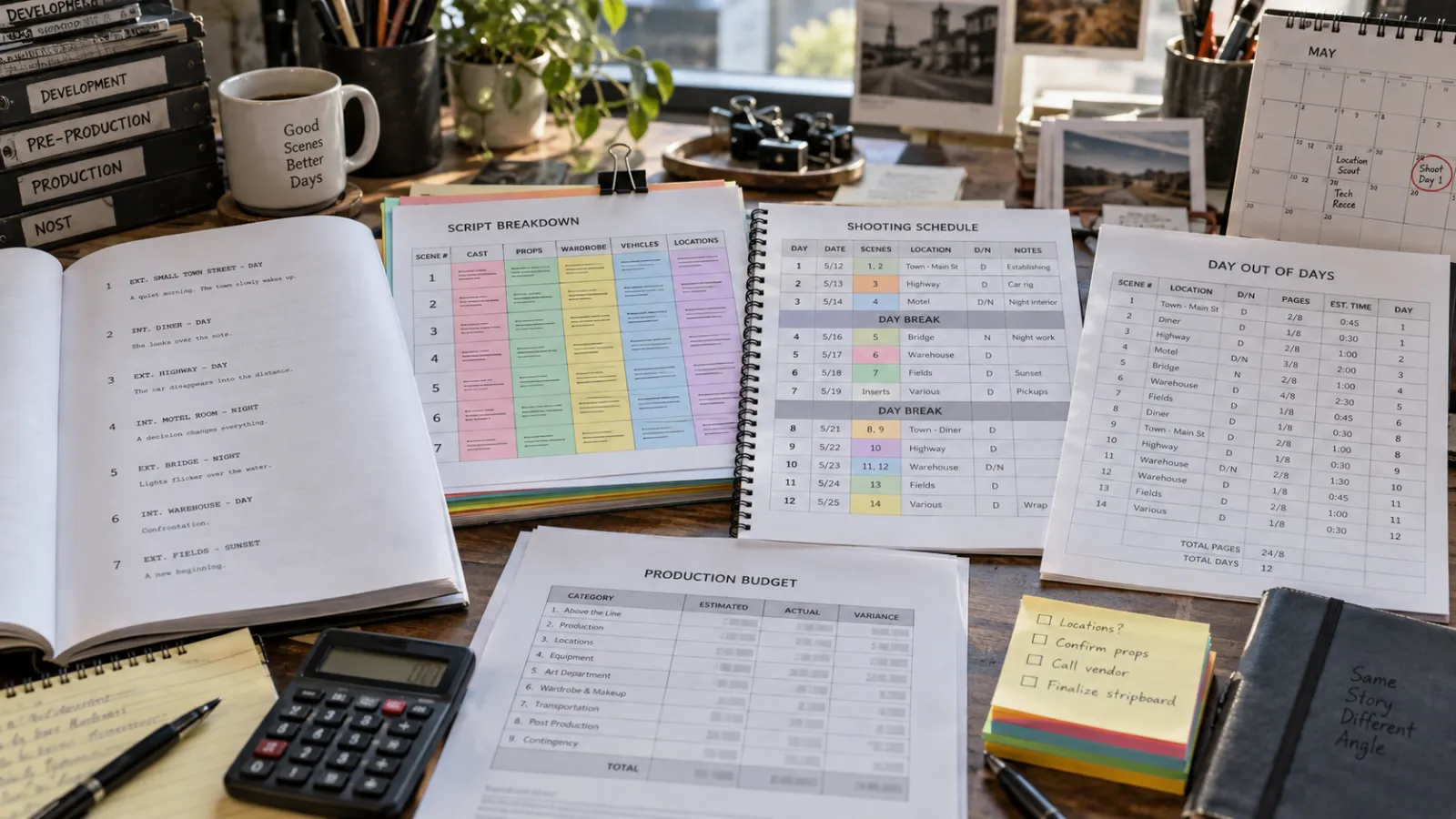
If your screenplay is ready but you do not want to spend days learning breakdown categories, reorganizing strips, checking cast patterns, researching rates and reconciling a detailed budget, FilmDrafts can prepare the production-planning package for you. Depending on scope, that can include the script breakdown and shooting schedule, DOODs and a detailed film budget.
This is not an argument that every project needs outside help. A filmmaker with time, production knowledge and a contained project may be perfectly comfortable working through the software. The professional-service route becomes more valuable when deadlines are tight, the project is complex, the budget has to support financing conversations, or the schedule and cost assumptions need to withstand scrutiny from producers and stakeholders.
What a Real Production Plan Looks Like
A useful comparison is FilmDrafts' $6M action-drama feature case study. That engagement turned a screenplay into a scene breakdown, a 38-day shooting schedule, a detailed Movie Magic budget and a business plan. The value was not the existence of a scheduling file or spreadsheet; it was the logic connecting story requirements to shoot days, resources and cost.
For projects requiring a broader package, the historical feature pre-production case study shows how breakdowns, schedules, cast and location reports, business planning and pitch materials can become one coordinated production package.
Movie Magic Scheduling vs Filmustage: Which Should You Choose?
| If this describes you... | Start here |
|---|---|
| You want a specialized scheduling environment with detailed boards, calendars, conflicts, multi-unit control and established Movie Magic scheduling conventions. | Movie Magic Scheduling |
| You want to connect script breakdown, shooting schedule, DOODs and budgeting in one workspace and are comfortable reviewing AI-assisted output. | Filmustage |
| You want to learn pre-production yourself and keep software costs low while testing the workflow. | Filmustage Free |
| You want AI to accelerate breakdown, budgeting and other supported tasks across multiple projects. | Filmustage Director's Cut |
| You do not want to build the breakdown, schedule and budget yourself and need finished production-planning deliverables. | FilmDrafts |
There is also no rule that you must use only one route. A producer can use Filmustage for early internal planning, then bring in a line producer or production-planning team when the project moves toward financing or production. Likewise, a Movie Magic schedule can sit alongside separate budgeting and finance tools.
Related FilmDrafts Guides
Frequently Asked Questions
What is Filmustage?
Filmustage is film pre-production software that combines script breakdown, shooting scheduling, DOOD reports, budgeting, call sheets, storyboards and other production-planning tools in one workspace. It also offers AI-assisted functions through its paid Director's Cut plan.
What is Filmustage used for?
It is used to turn screenplay information into production data. A filmmaker can break down scenes, identify production elements, organize a stripboard, build shoot days, review DOODs, create a budget and prepare additional production documents.
Is Filmustage free?
Yes. As of September 2026, Filmustage offers a Free plan with core non-AI tools, one active project and a limited AI breakdown trial. Full AI functionality requires the Director's Cut subscription. Check the official pricing page because plan details can change.
How much does Filmustage cost?
On September 17, 2026, Filmustage displayed a Director's Cut plan starting at $55 per month at the shown annual billing rate, with higher coin volumes and other plan options available. Pricing and promotions can change, so use the current official pricing page for the amount you will actually pay.
What are Filmustage Dude Coins?
Dude Coins are Filmustage's internal units for running AI operations. AI script breakdown, AI budgeting and other AI functions consume coins. The number of coins included and the cost of specific operations are shown in the Filmustage account and pricing interface.
Can Filmustage break down a screenplay automatically?
Yes. Filmustage supports AI-assisted script breakdown as well as manual breakdown. Even when AI is used, the production team should review tags and scene requirements before relying on the breakdown for scheduling and budgeting.
Can Filmustage create a shooting schedule?
Yes. Its Scheduling tab includes a stripboard, calendar, DOOD and sides. The schedule can be organized into shoot days and adjusted as production constraints change.
Can Filmustage create a film budget?
Yes. Filmustage includes budget creation and templates, plus AI Budget estimates on the paid workflow. The final budget still needs project-specific review for rates, fringes, deductions, rentals, locations, insurance, travel and other assumptions.
How accurate is Filmustage AI budgeting?
Accuracy depends on the quality of the breakdown, schedule and available rate data. Filmustage states that current AI estimates rely mostly on U.S. production data and that Budget Hints explain the assumptions behind estimates. The platform also notes that fringes and deductions are not automatically generated by AI Budget, so a professional review is still important.
What is Movie Magic Scheduling used for?
Movie Magic Scheduling is dedicated production-scheduling software used to create and manage breakdown sheets, boards, shoot days, calendars, conflicts and reports. The current MMS 10 version also supports multi-episode, multi-unit and collaborative scheduling workflows.
Is Movie Magic Scheduling the same as Movie Magic Budgeting?
No. They are separate products. Movie Magic Scheduling is used for scheduling, while Movie Magic Budgeting is used to build and manage detailed production budgets.
Can Filmustage replace Movie Magic Scheduling?
For some independent filmmakers, Filmustage may cover the scheduling workflow they need. For teams that depend on detailed Movie Magic conventions, multi-unit scheduling or a specialized production-board environment, Movie Magic Scheduling may remain the better fit. The right answer depends on the production workflow rather than the brand name alone.
What is a script breakdown?
A script breakdown identifies the production elements required by each scene, such as cast, props, wardrobe, locations, vehicles, effects and special requirements. Those elements become inputs for scheduling, department planning and budgeting.
How do you create a shooting schedule after a script breakdown?
After scenes and elements are identified, scenes are grouped into practical shoot days based on locations, cast availability, day/night requirements, company moves, workload and other constraints. The schedule is then checked through stripboards, calendars and DOOD reports.
What does a film budget include?
A detailed film budget can include above-the-line costs, crew labor, payroll burdens, equipment, locations, art department, wardrobe, transportation, travel, insurance, post-production, legal and accounting, publicity, contingency and other project-specific costs.
Do I still need a line producer if I use Filmustage?
Not every project needs a separate line producer, but software does not replace production judgment. Larger, union, international, stunt-heavy, VFX-heavy or financing-sensitive projects often benefit from an experienced line producer or production manager who can validate the assumptions and manage the real production consequences.
When should I hire FilmDrafts instead of using software myself?
Consider a done-for-you service when you have limited time, need professional deliverables for producers or financing discussions, or do not want to build and validate the breakdown, schedule and budget yourself. FilmDrafts can prepare those materials from the screenplay and project assumptions.
Prefer a Done-for-You Breakdown, Schedule and Budget?
Send FilmDrafts your screenplay and project assumptions. We can build the script breakdown, shooting schedule, DOODs and detailed production budget so you can focus on the production rather than operating the software.
View Film Budget Service →